fencekind.Try the free sample

Chain link fence calculator: posts by maximum spacing

Enter the run length, gates and your maximum post spacing to count terminal and line posts for a chain link fence run.

Total posts
18
Terminal · line posts
4 · 14
Fence footage
146 ft
  • Section 1: 8 bays no longer than 10 ft.
  • Section 2: 8 bays no longer than 10 ft.
  • Net fabric length: 145.41 ft. Gate openings: 4 ft.

Planning arithmetic for one straight run with evenly spaced gates. Corners, slopes, concrete, waste and local requirements are not included. Confirm measurements and materials on site.

Chain link fence is planned differently from panel fence. There are no panels to count. Instead the run is supported by terminal posts at the ends and on each side of a gate, with line posts between them so that no bay is longer than your maximum post spacing. This chain link fence calculator takes that maximum spacing, divides every section into equal bays, and counts the posts.

Terminal posts and line posts

A terminal post holds the end of the fabric or a gate. The calculator puts one at each end of the run and one on either side of every gate opening. Between terminal posts it adds the fewest line posts that keep every bay at or under your maximum, and the bays in a section are all the same length.

100 ft chain link run, 4 ft gates, 6 ft default specification (fictional example)
No gate, 10 ft maximum2 terminal + 9 line = 11 posts
One gate, 10 ft maximum4 terminal + 8 line = 12 posts
One gate, 8 ft maximum4 terminal + 10 line = 14 posts

Adding the gate raised the count from 11 to 12 because the gate needs two terminal posts, even though the sections between them need fewer line posts. Tightening the maximum spacing from 10 to 8 feet raised it again, to 14, with each section now in 6 and 6 bays.
Spacing, fabric and what the numbers assume

The maximum post spacing is a ceiling, not a target. A 100-foot section with a 10-foot maximum needs 10 equal bays; the calculator never makes a bay longer than the maximum, and it offers a maximum from 6 to 10 feet. Use the spacing your fabric manufacturer or local rules require.

The net fabric length is slightly shorter than the fence footage, 99.8 ft against 100 ft for the ungated run, because the fabric starts and stops at the face of each terminal post rather than at its centre. The calculator uses a default 6-foot chain link specification, and the post diameters and gate clearances in it set those small differences.

What it does not cover

  • One straight run only. For a layout with corners, calculate each run and review the corner posts with your installer or manufacturer.
  • Top rail, tension wire, tie wire, gate hardware and concrete are not priced here.
  • Slopes and local requirements for post depth and spacing.

Chain link fence questions

What post spacing should I use?

Use the maximum your fabric manufacturer or local rules allow. Ten feet is the largest value this calculator accepts, and a smaller value adds line posts.

Why does a gate add posts?

A gate frame hangs from terminal posts on each side of the opening, so every gate adds two terminal posts and splits the run into separate sections.

Is this the same as the panel fence calculators?

The arithmetic differs. Panel fences count panels and put a post at every panel boundary. See the fence post calculator for that method.

Browse the fence guides for the method behind the numbers.

Measuring a whole job with corners and several materials? The fence estimating software page shows how Fencekind turns a measured layout into an estimate, and the field guides cover the studio steps. This calculator is planning arithmetic, not a quote or a survey.

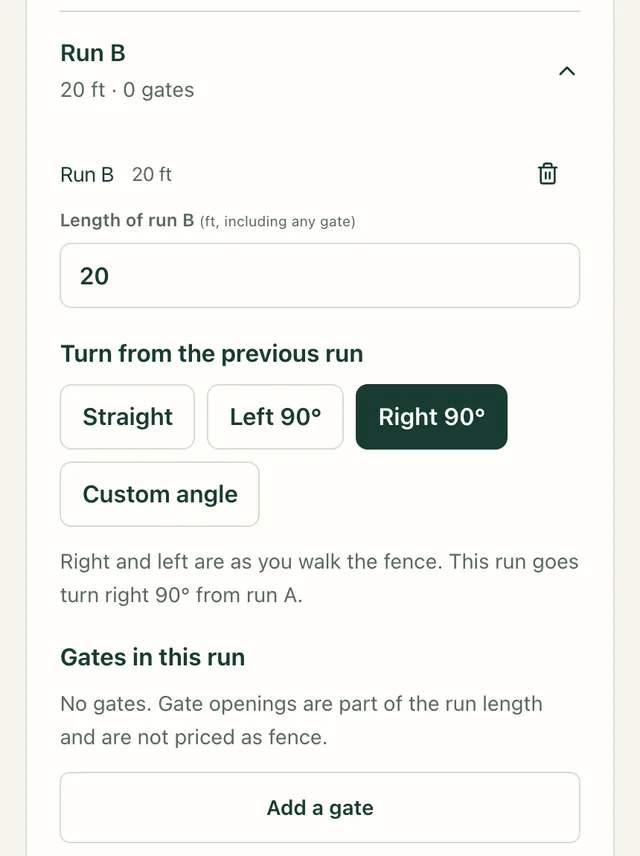
Fencekind studio on a phone showing Run B of the example project: a 20 ft length field, turn options Straight, Left 90°, Right 90° and Custom angle, and an Add a gate button.
Runs and gates: each length includes its gate openings. Example project, not a customer.